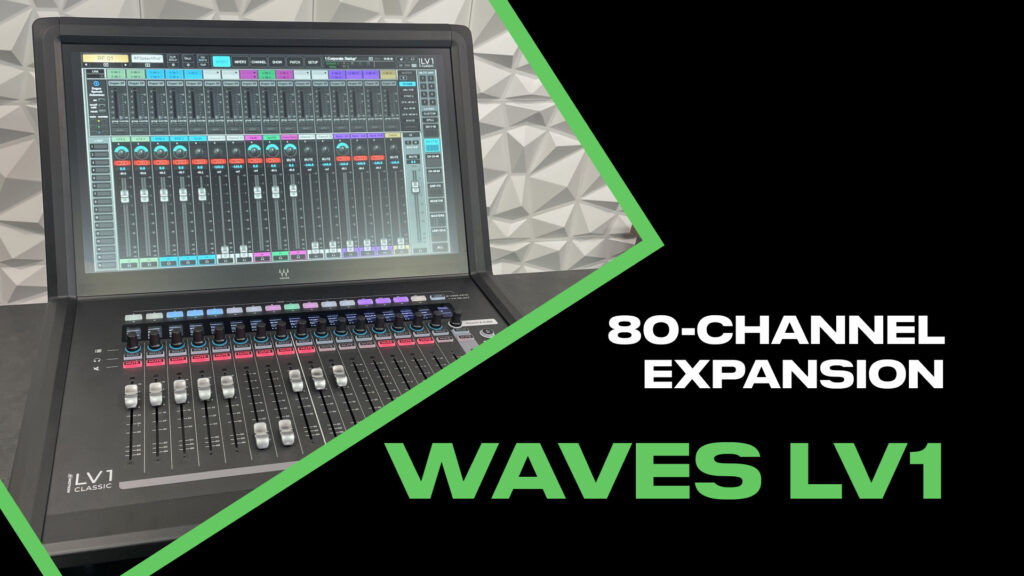
The Waves eMotion LV1 Classic just got a significant upgrade. With version 16 and the new LV1 80 channel expansion, you can now run 80 input channels—that’s 160 inputs when you factor in that every LV1 channel can be mono or stereo.
For larger churches running the LV1, this opens up some serious flexibility. Whether you need more subgroups for a complex front-of-house setup or you’re running FOH and monitors from the same console, the expanded channel count and bus structure make workflows possible that simply weren’t before.
What You Need for the LV1 80 Channel Expansion
To unlock the 80-channel mode, you need two things:
- LV1 Version 16 software — This is a free upgrade for all LV1 Classic users
- 80-Channel Expansion License — Available from Waves for $999
The V16 software update is worth installing even if you’re not planning to expand to 80 channels right away (more on that below). But the channel expansion itself requires the paid license.
Get the 80-Channel Expansion: Waves LV1 80-Channel License
LV1 Update Guide: How to Update Your LV1
Two Configuration Options
Once you’ve installed V16 and activated the 80-channel license, you’ll find two new options in Setup → Mixer Settings:
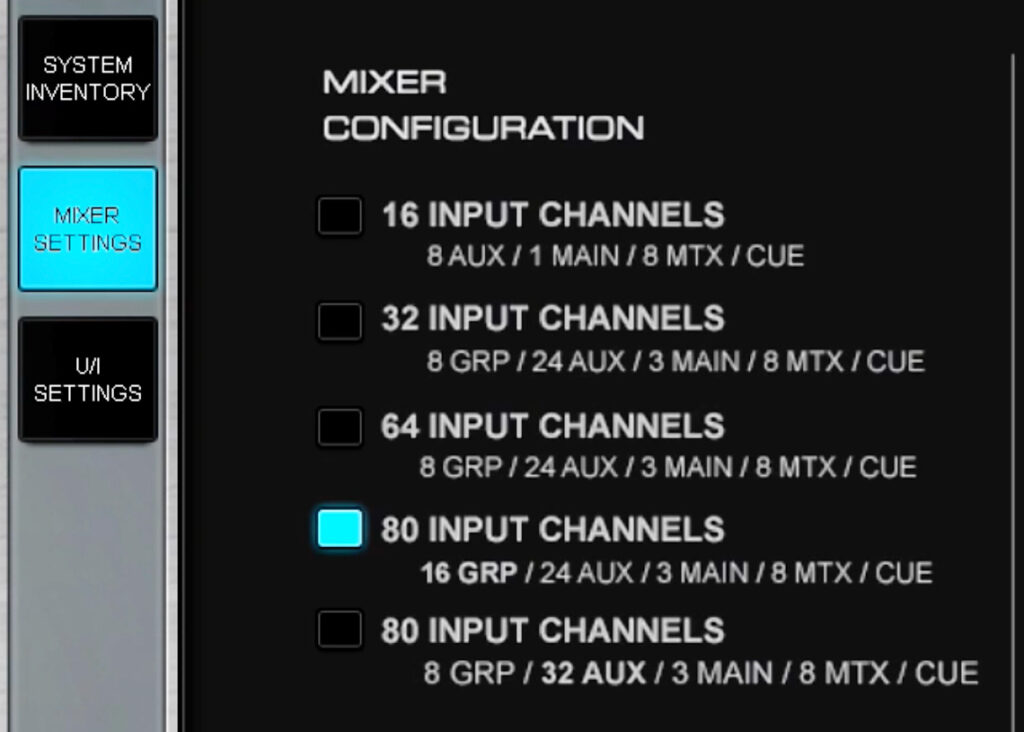
The two 80-channel configuration options in Setup
| Config. Mode | Channels | Groups | FX | MON | Mains | Matrices |
| 80 Input Channels (Option 1) | 80 | 16 | 8 | 16 | LR, C, M | 8 |
| 80 Input Channels (Option 2) | 80 | 8 | 8 | 24 | LR, C, M | 8 |
The difference comes down to how you’re using the console.
Option 1: 16 Groups, 24 Auxes (FOH-Focused)
This configuration is ideal if you’re mixing front of house and want maximum flexibility with subgroups. With 16 stereo groups, you can create dedicated subgroups for drums, guitars, keys, vocals, and still have room for parallel compression buses, effects returns grouped together, or whatever your workflow requires.
The 24 auxes still give you plenty of monitor sends—enough for most bands with in-ears plus some wedges or fills. Those 24 auxes are set up as 8 FX sends and then 16 monitor sends, but you can use the FX sends for monitors if needed.
Option 2: 8 Groups, 32 Auxes (Monitor-Focused)
If you’re running monitors from the same console as FOH, or if you’re using the LV1 as a dedicated monitor desk, this is the configuration to choose. 32 aux sends means you can cover a large band with individual in-ear mixes, plus wedges, side fills, drum sub, and still have auxes left over. The 32 auxes are set up as 8 FX sends and 24 monitor sends.
You still get 8 groups for subgroup mixing, which is enough for most front-of-house workflows when you’re also juggling monitor duties.
What 80 Channels Actually Looks Like
After loading one of the 80-channel configurations, your mixer view expands with an additional bank of 16 channels:
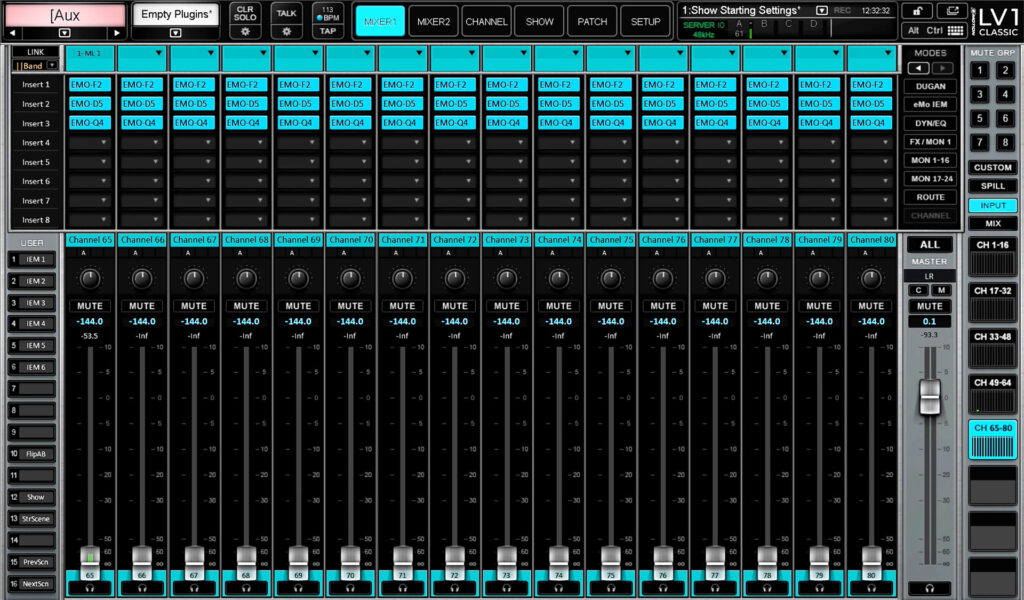
Channels 65-80 now available in the mixer view
You’ll now see:
- Channels 1-16
- Channels 17-32
- Channels 33-48
- Channels 49-64
- Channels 65-80 (new)
And remember—each of these 80 channels can be configured as mono or stereo, giving you up to 160 discrete inputs if you need them.
DSP Efficiency Improvements in V16
Here’s something that benefits every LV1 Classic user, even if you’re not expanding to 80 channels: V16 includes significant DSP efficiency improvements.
Waves has optimized the codec in V16, which means your SoundGrid server runs more efficiently than previous versions. In practical terms, this means:
- Lower DSP load on your server for the same channel count
- More headroom to add plugins
- More headroom if you do expand to 80 channels
If you’ve been bumping up against your server’s limits, the V16 update alone might give you the breathing room you need—and it’s free.
Other V16 Improvements
Version 16 also includes updates to how scenes and recall work on the LV1. You now have scene-safe filters and scene saving on a channel-by-channel basis, giving you much more granular control over what gets recalled and what stays protected.
I’ll be covering the recall and scene-safe updates in detail in an upcoming video, but know that these improvements are part of the V16 package.
For full details on everything in V16, check out the Waves LV1 V16 announcement.
Is the 80-Channel Expansion Worth It?
At $999, the LV1 80 channel expansion isn’t an impulse purchase. But for the right situation, it’s a no-brainer:
Consider it if:
- You’re regularly running out of channels on complex productions
- You need more subgroups for a sophisticated FOH workflow
- You’re running FOH and monitors from the same console and need more aux sends
- You’re a larger church with a full band, multiple vocalists, tracks, and click
You might not need it if:
- Your current 64-channel setup handles your typical services comfortably
- You’re primarily doing smaller events or simpler band configurations
- You have a separate monitor console
The V16 update, on the other hand, is worth installing regardless. The DSP efficiency improvements and scene management updates are valuable for every LV1 user.
YouTube Video
For a complete walkthrough of the LV1 80 channel expansion setup, watch the full tutorial: