dBB SPL Meter Site License
$347.00
Calibrated SPL metering for your whole team.
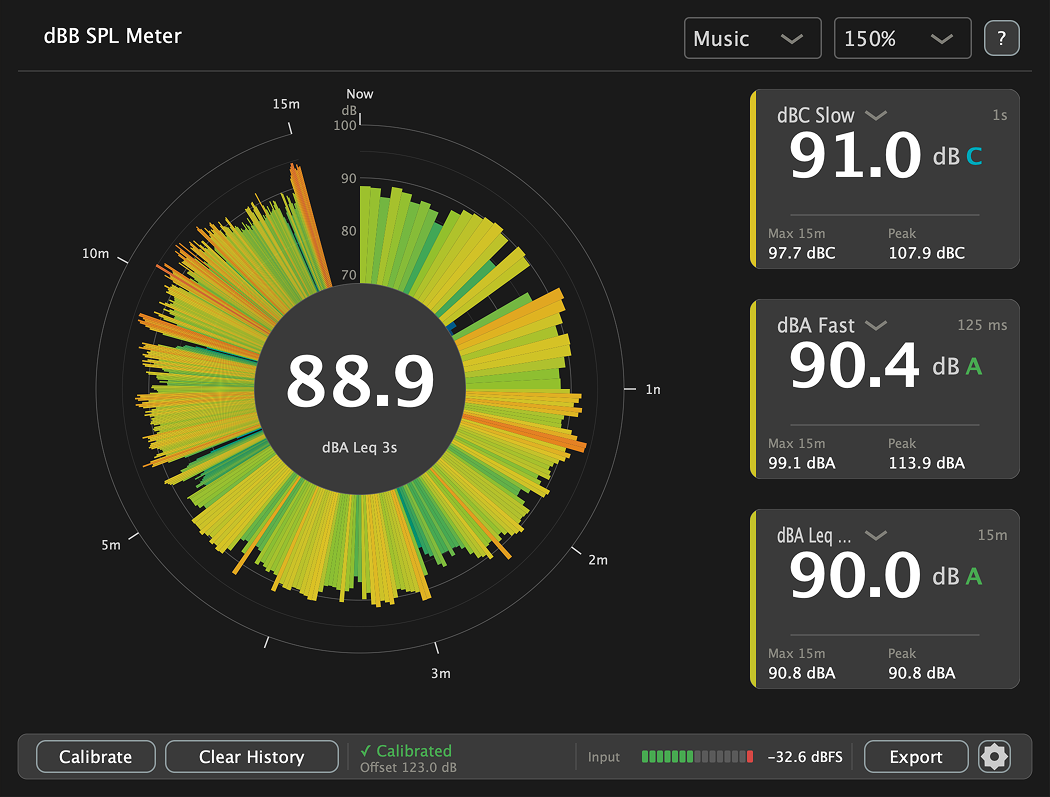
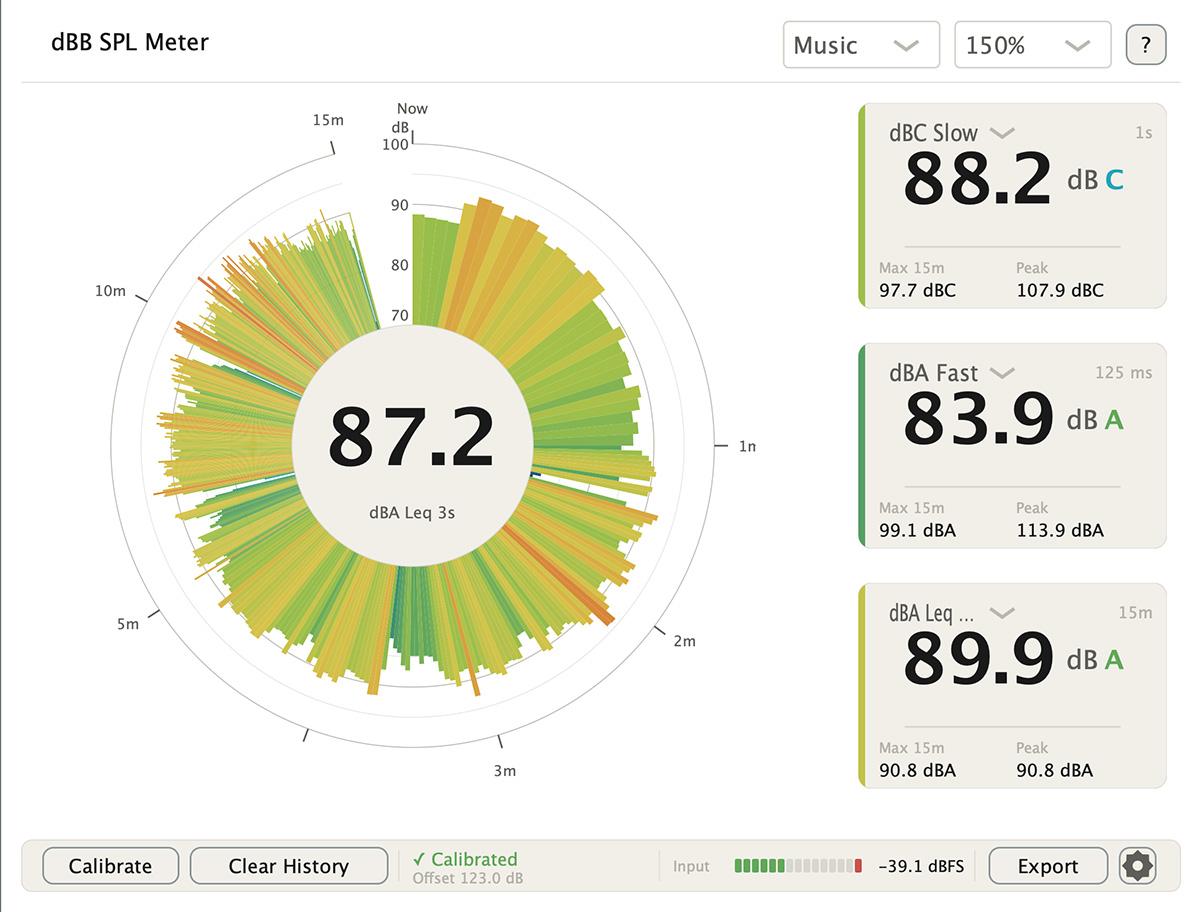
A professional SPL meter for Mac and Windows that runs as a VST3 plugin in your DAW or host, or standalone. Measure dBA, dBC, peak, and 15 minutes of history, then export clean reports. Validated against IEC 61672-1 Class 1.
- Runs as a VST3 plugin or standalone, one purchase covers both
- Calibrated dBA and dBC, displayed at once
- 15 minutes of rolling history on the radar
- Branded PDF and CSV reports
- Mac and Windows, activates on up to 6 devices
See everything it does → full details on the dBB SPL Meter page
★★★★★
I recently purchased the channel
and effect preset to help push our
livestream over the edge.
The clarity and balance of these
presets are phenomenal!
– Mike B
★★★★★
I have no words to describe
how much better it sounds
and functions after loading the presets.
We literally plugged in everything
where the routing PDF said
to plug them in and it worked
flawlessly!!!
– Jeremy
★★★★★
No one comes close to
the resources provided by Drew.
The presets and emulations in
this download pack are amazing
and get used every time
I power up my console.
– Arnold
dBB SPL Meter – Site License
A calibrated sound level meter that lives where your audio already does. Run it as a VST3 plugin on any track or rack in your DAW or VST host, or open it standalone, same meter, same calibration, either way. The site license is built for teams and multi-position setups, activating on up to 6 devices, so a whole crew or campus can measure from the same standard.
What’s Included
- The dBB SPL Meter for Mac and Windows, as both a VST3 plugin and a standalone application
- One license, activates on up to 6 devices
- Calibrated dBA and dBC measurement, displayed simultaneously
- Fast, Slow, and Leq time weighting per IEC 61672-1
- True peak detection with 4x oversampling
- 15 minute rolling history on the radar display
- Branded PDF reports and full CSV export with SHA-256 verification
- PDF manual included
Site License for dBB SPL Meter
The Site License includes 1 license which can be activated on 6 devices at a time. Activation of a device is simple, open dBB SPL Meter, enter license code, and then the activation will verify the device through your internet connection. After activation no internet is required to use dBB SPL Meter. You can also move activations by deactivating the device inside of the settings menu of dBB SPL Meter.
If you’re a single engineer, the dBB SPL Meter Single License activates on up to 2 devices and may be all you need.
Why a Plugin?
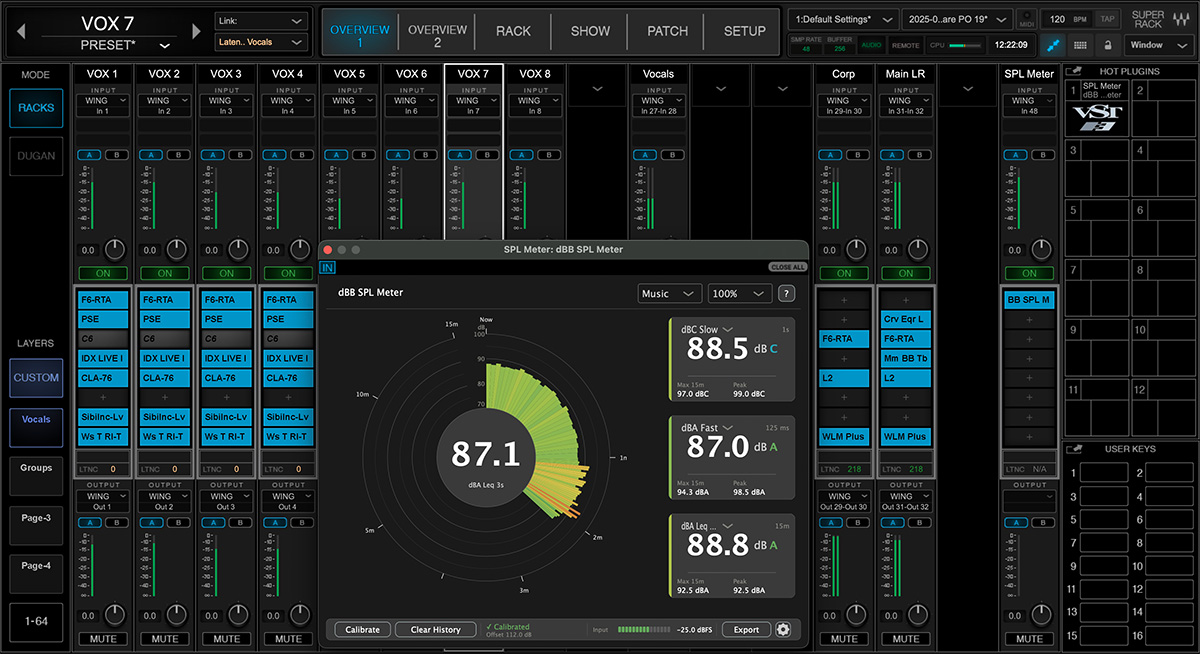
Most SPL software runs as a separate app off to the side. dBB SPL Meter drops onto a track or rack right inside your DAW or VST host, so your SPL sits next to the mix you’re already working on, no second program, no extra screen to manage. It runs standalone too, for dedicated laptops and control rooms.
Real Measurement
Calibrate to your measurement mic with a calibration file or manual offset, and you’re reading true level, not an approximation. dBA and dBC at once, true peak detection, any sample rate from 44.1 to 192 kHz, and multichannel input from Dante, MADI, RME, MOTU, and any interface your system recognizes. Validated against IEC 61672-1 Class 1 (equivalent to ANSI S1.4 Type 1).
Documentation Built In
When leadership, a venue, or a client asks how loud it was, the answer is already logged. Export a branded PDF with your logo, a time-series chart, and a pass/fail against your own target, or a full CSV with every data point and a SHA-256 checksum so the data holds up.
Who This Is For
-
- Teams running multiple mixing positions from one standard
- Touring and production crews needing the meter on several machines
- Venues and multi-campus operations standardizing their levels
- Corporate AV and broadcast teams tracking consistency across rooms
- Any organization that wants every engineer measuring the same way
System Requirements
Mac
- macOS 13 (Ventura) or newer
- Apple Silicon (M1/M2/M3) or Intel processor
- VST3-compatible DAW (Logic Pro, Pro Tools, Ableton Live, Reaper, Cubase, Studio One, etc.) for plugin use, OR standalone use without a DAW
- Any audio input source
Windows
- Windows 10 version 1607 or newer (64-bit)
- VST3-compatible DAW for plugin use, OR standalone use without a DAW
- Any audio input source
Both platforms
- 100 MB disk space
- Any audio interface that the OS recognizes as a Core Audio (Mac) or ASIO/WDM (Windows) device