Behringer released firmware 3.1 for the WING in November 2025, and this one’s a big deal. The headline feature: all gate and compressor plugins are now available in both the Gate and Compressor slots on every input channel.
If that doesn’t immediately sound exciting, let me explain why it should.
The Big Change: Full Flexibility in Both Dynamics Slots
Previously, the Gate slot had gate-specific processors, and the Compressor slot had compressors. Made sense on the surface, but it limited your options. Now, you can load any dynamics processor into either slot—gates, compressors, expanders, all of it.
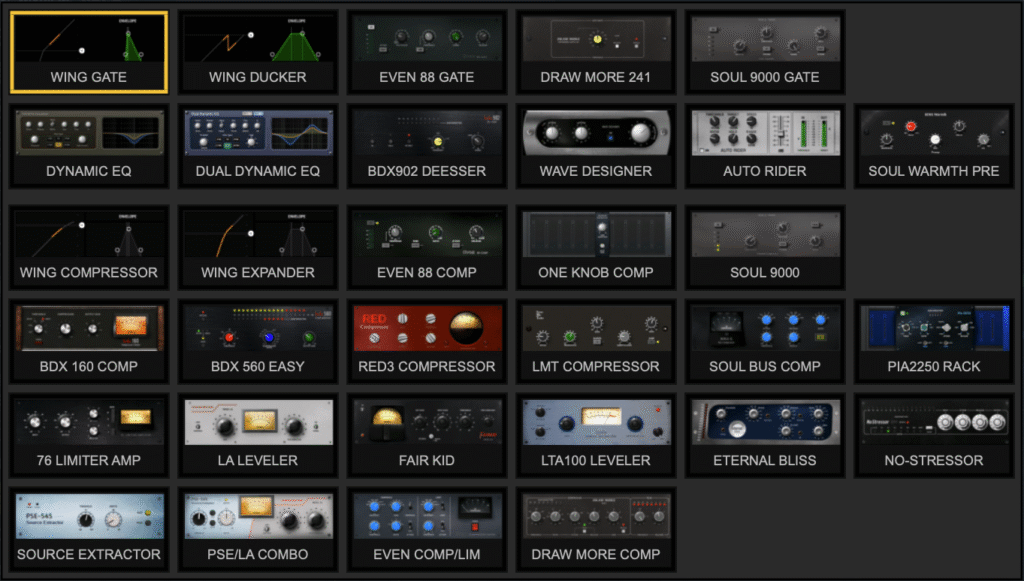
All dynamics processors now available in both the Gate and Compressor slots on input channels
Why does this matter? Because now you can run two compressors in series, right there on the channel strip. No need to burn an insert slot or route through an effects rack.
One practical example: put a fast-attack, fast-release compressor in the Gate slot to catch peaks and control the initial transient, then follow it with a slower-attack, slower-release compressor in the Dynamics slot for more natural, transparent leveling. This approach works incredibly well on overly dynamic vocals that don’t really need a traditional gate—you get control without the source sounding squashed or processed.
You could also run two different compressor flavors in series. Maybe a BDX 160 for punch followed by an LA Leveler for smooth leveling. Or use the new One Knob Compressor for quick control, then fine-tune with a more detailed compressor after it. The combinations are wide open now.
Aux Channels Get Expanded Dynamics Too
This update also expands what’s available on Aux channels. Previously, you only had the PSE/LA Combo available for dynamics processing on auxes. Now you get a much larger selection of gates and compressors.
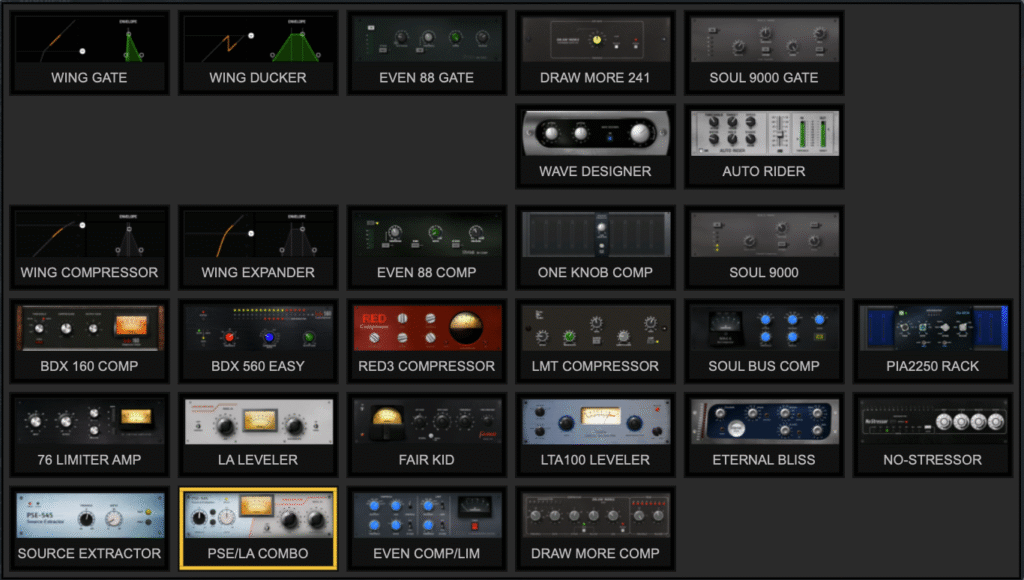
Expanded dynamics selection now available on Aux channels
This is a welcome change if you’re using aux inputs for playback tracks, click, or other sources that could benefit from dynamics control beyond what the combo processor offered.
New Dynamics Plugins
Firmware 3.1 also adds several new processors to the lineup:
Even 88 Comp
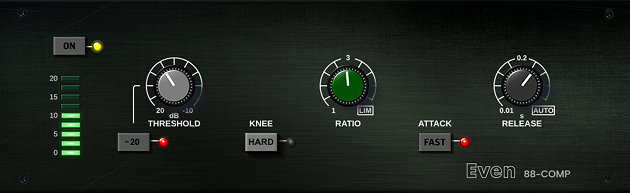
The Even 88 Comp is modeled after the compressor section of the Neve 88RS console. It has that smooth, polished Neve character—musical rather than aggressive or clinical.
You get variable Threshold, adjustable Ratio, switchable Fast or Slow Attack, variable Release with an Auto mode, and selectable Hard or Soft knee. It works well across a wide range of sources, from transparent vocal compression to punchier settings on drums and bass.
LMT Compressor
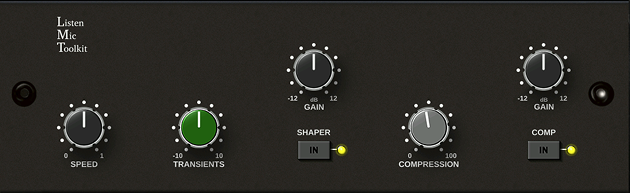
The LMT Compressor takes inspiration from the SSL 4000E Listen Mic Compressor, known for its fast attack, heavy compression, and gritty tone. The original was famous for smashing drums and room mics.
The Transients control shapes the initial hit, the Shaper adds density and harmonic weight, and the main Compression knob takes you from subtle grit to fully crushed. This one isn’t about transparency—it’s about adding energy and aggression to drums, percussion, or parallel compression.
One Knob Compressor
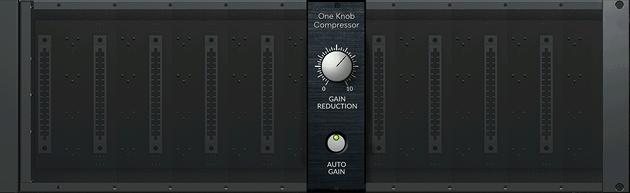
The One Knob Compressor is exactly what it sounds like: one knob controls everything. Behind the scenes, it adjusts threshold, ratio, attack, and release together as you turn the knob up or down.
This is perfect for volunteers or less experienced operators who just want “more compression” or “less compression” without worrying about multiple parameters. It’s also great during fast soundchecks when you need something that just works.
Dual Dynamic EQ
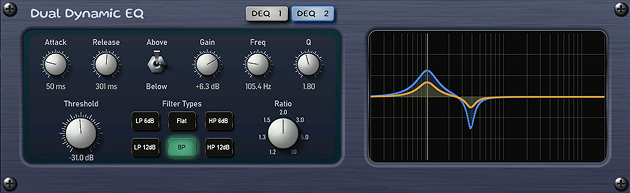
The Dual Dynamic EQ is a two-band dynamic equalizer. Unlike static EQ that applies fixed boosts or cuts all the time, dynamic EQ only adjusts when the signal crosses a threshold—so it reacts to what’s actually happening in the audio.
This makes it useful for problem frequencies that come and go. A vocal that gets harsh only on certain loud phrases. A guitar that has a resonant low-mid buildup only when the player digs in. A snare that rings at one frequency only on harder hits. Instead of cutting those frequencies all the time and making the source sound thin, the Dual Dynamic EQ only pulls them back when they actually become a problem.
With two bands, you can tackle multiple issues at once—maybe taming harshness in the upper mids while controlling low-end buildup at the same time. You’ll see DEQ 1 and DEQ 2 buttons at the top of the interface to swap between the two bands and adjust each one independently.
I’ll be diving deeper into the Dual Dynamic EQ in a future post—there’s a lot more to explore with this one.
Other Notable Changes in Firmware 3.1
Beyond the dynamics overhaul, there are some other changes worth mentioning:
- WING-DANTE with AoIP-WSG support – You can now use the Waves SoundGrid AoIP module in the WING-DANTE expansion card slot, so you can have Waves SoundGrid on the expansion card rather than using a module slot.
- Increased remote client limit – The maximum number of remote clients increased from 16 to 24. Make sure your network bandwidth can handle it if you’re running that many devices. But this expands to giving more functionality to your band members using WING CoPilot or WING-Q to mix their monitors.
- Multiple source selection – You can now select multiple sources on the SOURCES screen by touch and drag, and parameter changes apply to all selected sources at once.
- Fader/Screen Layer Link – A new option under Setup > Surface lets the main display and fader layer show different channels independently.
- WING COMPACT improvements – Main Fader can now be assigned to all channels, there’s a new “Keep Main Fader” option, and DCA spill mode activates by pressing the SELECT button on the desired DCA.
For the full list of changes, check the official firmware release notes from Behringer.
Updating Your WING
If you haven’t updated yet, now’s a good time. You can update via USB thumb drive or through the USB Direct Access method. Just remember: never update on show day. Give yourself time to verify everything is working properly after the update. Head over to the product page of your WING product to download the appropriate firmware:
Always back up your show files and snapshots before updating, and make sure your WING CoPilot app is updated to match your firmware version.